If your inspection records live in a folder, your handover certificates are scattered across inboxes, and someone’s phone holds “the latest” scaffold tag photo, you’re not alone. Many scaffolding businesses start with paper forms and ad-hoc sharing because it works—until it doesn’t.
As sites multiply, teams grow, and customers expect faster responses, the admin load and risk of missing information increase. This article breaks down what inspections and handover certificates are really for, why paper-based processes strain at scale, and what changes (and what doesn’t) when you move to digital—so you can decide if your current process is still efficient.
What scaffold inspections and handover certificates actually do
In professional scaffolding, inspections and handover certificates aren’t “extra paperwork”— they are evidence that the scaffold was assessed by a competent person and is safe for use at that point in time.
At a practical level, they help you:
- Prove compliance and due diligence — you can show what was checked, when, and by whom.
- Control risk on site — defects and changes are captured, communicated, and followed up.
- Support handover and ongoing use — the customer and site team know the scaffold is approved for use (within the stated scope/conditions).
- Protect your business — clear records reduce disputes and help investigations if something goes wrong.
Non-negotiable: Whether your forms are on paper or on a screen, the inspection itself must be completed properly by a competent person. Digital tools can streamline the process—but they cannot replace competence, judgement, or safe systems of work.
Why paper, email, WhatsApp, and spreadsheets stop working as you grow
Paper forms and informal sharing methods can feel quick in the moment. The problem is what happens after the inspection—when you need the record again, or when multiple people need to rely on the same “single source of truth.”
Common friction points at scale include:
- Lost time searching — folders, photos, and attachments become a scavenger hunt when you need last month’s inspection or a specific handover certificate.
- Version confusion — spreadsheets and emailed PDFs create duplicates (“final_v3_reallyfinal.pdf”), and nobody is sure what’s current.
- Gaps and missed follow-ups — defects noted on paper don’t always trigger a clear action, owner, and close-out trail.
- Site-to-office bottlenecks — forms sit in vehicles, get scanned later, or rely on someone remembering to send them.
- Customer document churn — clients request the same documents repeatedly because they can’t easily access project history.
- Audit pressure — when a principal contractor or regulator asks for records, the scramble to assemble a complete timeline adds stress and risk.
What “going digital” should improve (without compromising safety)
The best digital systems don’t just turn a paper form into a PDF. They improve how information moves through your business—while still keeping the competent-person responsibilities front and centre.
1) Faster retrieval and clearer project history
When inspections and handover certificates are stored digitally and linked to the relevant job or scaffold, you can build a reliable timeline: what was erected, what was handed over, what was inspected, what defects were raised, and when they were closed out.
That matters for day-to-day operations (less time searching) and for the “one day you really need it” moment: audits, incidents, customer disputes, or insurance requests.
2) Better consistency across teams and sites
Digital records can standardise what gets captured—dates, locations, scaffold identifiers, inspection outcomes, notes, and sign-off—so the office isn’t trying to interpret different handwriting and incomplete fields from different crews.
3) QR-enabled scaffold tags connect the physical scaffold to its records
QR-enabled scaffold tag helps bridge the gap between what’s on site and what’s in your system. Instead of a tag being a dead-end label, it becomes a live link to the scaffold’s inspection status and supporting documentation (where appropriate for the user’s access).
This creates a practical workflow benefit:
- On site — scan the tag to view the relevant record or confirm status without chasing the office.
- In the office — reduce calls and messages asking “Is this scaffold inspected?” or “Can you resend the handover?”
4) Customer access reduces repeat document requests
If your customers (or site management) can securely access the documents they need—when they need them—you reduce the constant back-and-forth that drains admin time. It also improves your professional presentation: clients see an organised record set rather than a trail of forwarded attachments.
Practical takeaway: Digital records deliver the biggest wins when they are searchable, linked to the job, and easy to share securely. If your “digital” process is just photos of paper forms, you’ll still feel the same pain—only with more files.
SDL Pro Management: one connected workflow from inspection to customer access
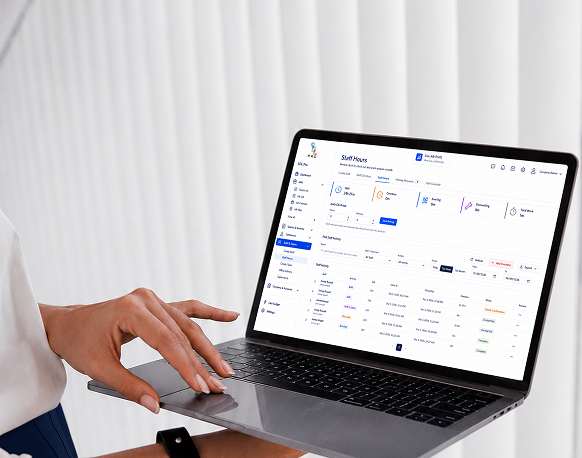
If you’re evaluating digital options, the key question is whether the system connects the entire workflow—or simply creates another place to store documents. SDL Pro Management is designed to keep inspections, handover, and on-site tagging within one connected project process.
Digital inspection records
Create inspection records in a consistent format, captured against the relevant project/scaffold. This supports faster completion in the field and quicker retrieval later— without losing the details that matter (who inspected, when, outcome, notes, and supporting information).
Handover certificates
Generate and store handover certificates within the same project record. This helps keep the handover history tied to the scaffold’s lifecycle—useful when a scaffold is altered, extended, or handed over in stages across a longer project timeline.
Scaff Tags (including QR-enabled tags)
Scaff Tags connect what’s physically on the scaffold to what’s recorded in your system. With QR-enabled tags, authorised users can scan and access the relevant scaffold record quickly— supporting site communication and reducing “can you resend that?” traffic.
Customer Portal
Instead of repeatedly emailing PDFs, you can provide customers access to the documents they need through a dedicated portal. That means fewer repeat requests, clearer transparency, and a smoother experience for site teams managing multiple trades and compliance requirements.
| Workflow stage | How it fits together in one system |
| Build / modify scaffold | Project and scaffold details stay central so future inspections and handovers are linked to the same record set |
| Inspect (competent person) | Digital inspection record captured and stored against the scaffold/project for immediate visibility and future retrieval |
| Handover | Handover certificate issued and kept alongside
inspection history, creating a clean timeline |
| Tag on site | Scaff Tags display status on the scaffold; QR links can connect users to the relevant record where access is permitted |
| Customer access | Customer Portal reduces repeat document
requests and keeps project documentation organised and accessible |
Conclusion: is your current process still efficient?
Paper-based inspections and handover certificates can work—particularly for smaller operations and short-duration projects. The tipping point usually isn’t whether paper is “bad,” but whether your team is spending more time managing documents than managing scaffolding work safely and profitably.
If your records are hard to find, your customers keep requesting the same documents, or you rely on individuals’ phones and inboxes to prove compliance, digital processes can give you faster retrieval, clearer project history, and better visibility—while keeping competent-person responsibilities firmly in place.
Quick self-check (if you tick 3+ boxes, it’s probably time to modernise)
- You regularly resend the same handover certificates or inspection records to customers
- Finding a specific scaffold record takes more than a couple of minutes
- Records are stored across paper folders, email threads, WhatsApp messages, and spreadsheets
- You’ve had version confusion (multiple “final” PDFs or unclear latest inspection status)
- Audit or incident preparation involves a scramble to assemble a complete timeline
- Site teams frequently call the office to confirm inspection status or request documentation
The goal isn’t digital for digital’s sake. It’s a safer, more professional, more scalable workflow— where the right information is easy to capture, easy to retrieve, and easy to share with the people who need it.