If your phone rings all day with “Any update on my job?” you’re not alone—and it’s not a sign
you’re doing a bad job. It’s a sign that customers can’t see what you can see, so they call the only “portal” they have: your office team.
In this post, you’ll see how a customer portal reduces routine calls and emails, improves the customer experience, and gives your office time back—without removing the personal contact that keeps customers loyal. We’ll keep it practical and focused on what matters for
scaffolding businesses: job status visibility, documents, and smoother new job requests.
The hidden cost of routine calls and emails
Most inbound customer messages aren’t complaints—they’re information requests. The problem is the volume and the interruption cost when they land one-by-one across the day.
Common “quick questions” that add up fast:
- Job status updates — booked, on site, erected, inspection due, modifications, dismantle date
- Quotations — “Can you resend the quote?” “What’s included?” “What’s the latest price?”
- Inspection reports — “Have you done the inspection?” “Can I get the report for the site file?”
- Handover certificates — “We need the handover for compliance—can you email it again?”
- Project paperwork — SWMS, licences/insurances, site documents, variations and approvals
When every request requires someone to stop what they’re doing, search, confirm, attach, and reply, your office becomes reactive. It’s not unusual for experienced coordinators to spend a big chunk of their day acting like a human search engine for job information—while higher-value work sits in the queue.
Owner reality check: Even “simple” requests can take 3–10 minutes once you factor in finding the right job, checking the latest status, confirming the correct document version, and responding. Multiply that by dozens of touches per day and it becomes a serious overhead.
Why your office turns into an information service
Scaffolding jobs move through multiple steps, often across different teams and systems: quoting, scheduling, delivery, erection, inspections, variations, and dismantle. Customers typically only see a snapshot—so when anything changes, they come back for clarification.
In practice, your office ends up as the “single source of truth” because it’s the easiest point of contact. Customers don’t call because they love phone calls; they call because it feels like the fastest way to reduce uncertainty on a live project.
Here’s what drives the constant check-ins:
- Uncertainty — site managers need to coordinate trades, access, and compliance paperwork
- Time pressure — small delays create big flow-on costs on site
- Document sensitivity — the right certificate or report matters for audits and safety
- Version confusion — the “latest” quote, variation, or report isn’t always obvious in email threads
Customer expectations have changed (even in construction)
Whether we like it or not, customers now expect the same basic visibility they get everywhere else: order tracking, self-service documents, and clear progress updates. They’re used to checking a status page—not waiting for someone to call them back.
This doesn’t mean they want a cold, automated experience. It means they want control: the ability to quickly confirm what’s happening and access the paperwork they need, when they need it, without chasing your team during peak hours.
How a customer portal cuts repetitive requests (without making you “less personal”)
A customer portal gives your customers a secure place to view the information they repeatedly ask for—so your office team doesn’t have to re-send the same documents and updates over and over.
Instead of removing personal contact, it improves it by changing what your team spends time on. You still talk to customers—just more often about meaningful decisions (scope, timing, site constraints, variations), not “Can you forward that PDF again?”
| Customer asks for… | Portal solves it by… |
| Quotations (latest version, inclusions,
pricing) |
Showing the current quote and related job
details in one place, reducing “resend” requests |
| Inspection reports | Providing access to inspection reports as soon as they’re available, ready for site files |
| Handover certificates | Keeping certificates accessible so customers can download them anytime for compliance |
| Project paperwork (site docs, supporting
documents) |
Centralising relevant documents so customers don’t have to search through email threads |
| Job status updates | Displaying clear status milestones so customers can self-check progress before they call |
What changes day-to-day:
- Fewer interruptions — less context-switching, fewer “quick” calls that derail the schedule
- Faster customer answers — customers get information immediately, not when your team is free
- Cleaner communication — one reliable place for the latest documents and updates
- Better trust — visibility reduces anxiety and helps customers feel in control
Self-service doesn’t replace relationships—it protects them
When customers can self-serve basic information, the calls that do come through are usually higher quality: a genuine change request, a site constraint, a timing issue, or a new opportunity. That’s where your experience shines and where personal contact actually matters.
How portals help with new job requests (and stop quote chasing)
New work often starts with a flurry of back-and-forth: “Can you quote this?” “What are the dimensions?” “Can you send photos?” “Which site contact?” A portal can streamline the request by guiding customers to submit the right information upfront—and by keeping the request tied to a single workflow rather than scattered across calls and emails.
That means fewer clarifying messages, fewer delays, and a faster path from enquiry to scheduled job. It also reduces the risk of details being missed (or buried) when the office is under pressure.
SDL Pro Management: customer portal access without exposing internal business info
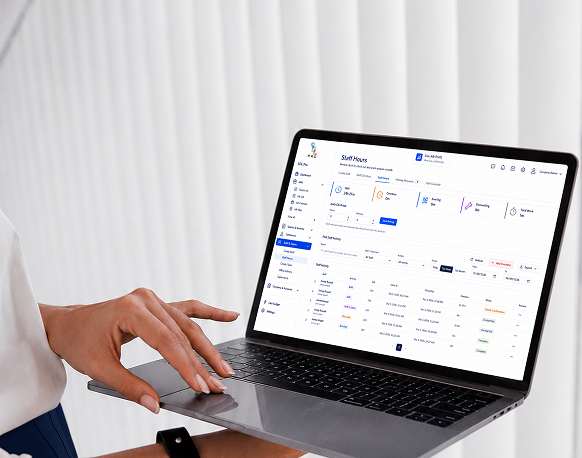
SDL Pro Management’s customer portal is designed to give customers the visibility they want, while keeping your internal operational and business details separate.
What customers can access in the portal
- Jobs — view their jobs in one place, without needing to ring the office for basics
- Documents — access relevant job documents (for example, reports and certificates) when needed
- Job status — check progress and key milestones without waiting for a callback
- New job requests — submit requests through a structured workflow that captures the right details upfront
SDL Pro Management is built so customers see what’s relevant to them—while your internal notes, sensitive business information, and operational details remain protected. In other words: customers get clarity, and you keep control.
What your office gains: fewer interruptions and more high-value time
For owners, the biggest win is simple: your office team gets time back. With fewer routine requests landing across the day, they can focus on the work that actually grows and protects the business:
- Proactive scheduling and coordination instead of constant reactive updates
- Chasing approvals and variations with better focus and follow-through
- Improving customer communication (the meaningful kind) because there’s room to do it well
- Supporting operations with cleaner paperwork and fewer “where is it?” moments
Conclusion: reduce “status chasing” and lift service at the same time
A customer portal won’t eliminate phone calls—and it shouldn’t. What it does is remove the constant, repetitive requests for job updates and paperwork, so your team can give better service when customers genuinely need a person.
If you want to reduce interruptions quickly, start with the highest-frequency items: job status, quotations, inspection reports, handover certificates, and project paperwork. Once customers can self-serve those basics, the noise drops—and the quality of your customer interactions rises.
Practical next steps
- List your top 10 most common customer questions (phone + email)
- Identify which questions are answered by job status and documents
- Standardise what “job status” milestones mean in your business (so it’s consistent)
- Choose a portal workflow for new job requests to collect the right details upfront
- Roll it out to a small group of regular customers first, then expand